
Notice about legal guarantee rights
Shows legal rights in the appropriate language. The notice can appear in full or first as a short line.
For product pages and optionally for the cart.Shopify App
Show the official EU legal guarantee notice and the optional GARAN label directly in your Shopify store. Setup is handled conveniently in the app.
Now officially available in the Shopify App Store.
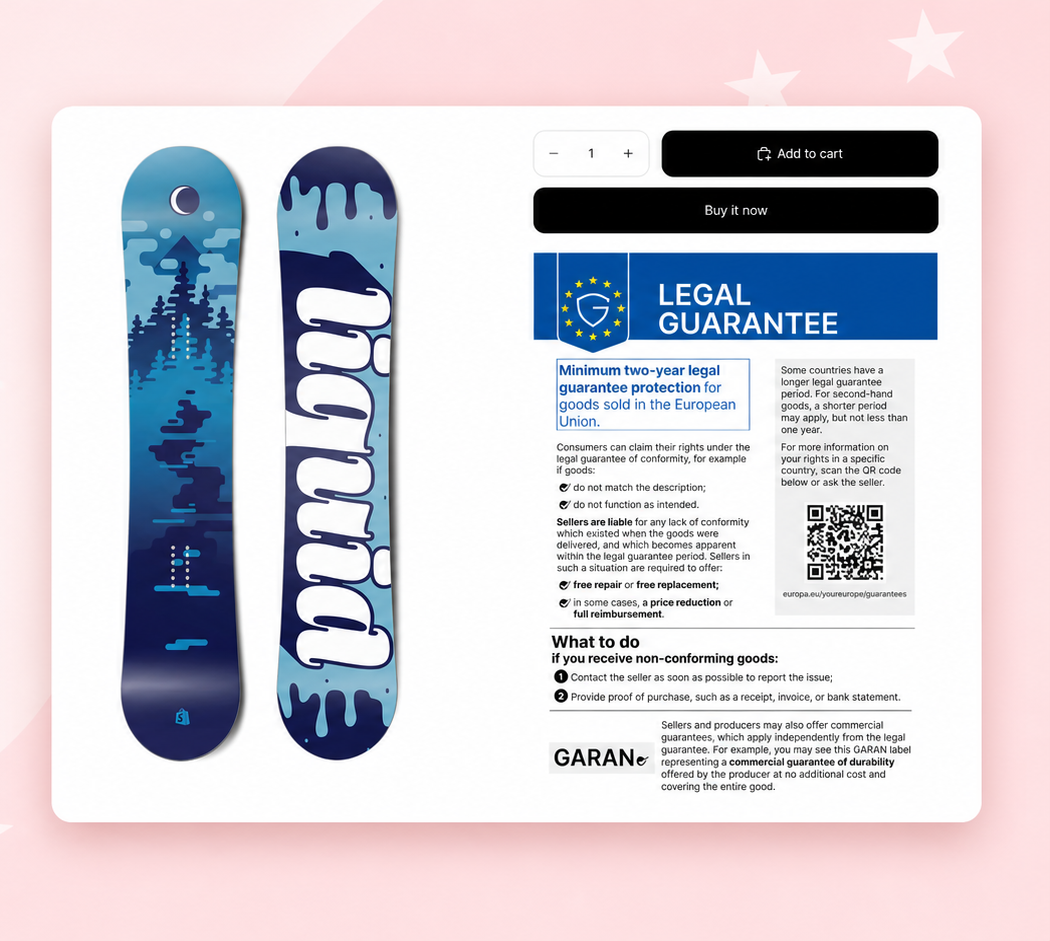
On the product page
Customers can see at a glance which rights apply by law and whether an additional voluntary durability guarantee is offered.
Shows legal rights in the appropriate language. The notice can appear in full or first as a short line.
For product pages and optionally for the cart.For a free durability guarantee longer than two years, the app shows the duration, provider and product name in the GARAN label.
Compact or complete, with a preview directly in the app.Features
Warranty Label helps you set up the right notices quickly and display them clearly in your store.
Display the legal notice and GARAN label independently. You can also add a dedicated legal notice to the cart.
The legal notice appears in the language selected in your store.
Choose a compact or full view and adjust the colours of the symbol, text, background and border.
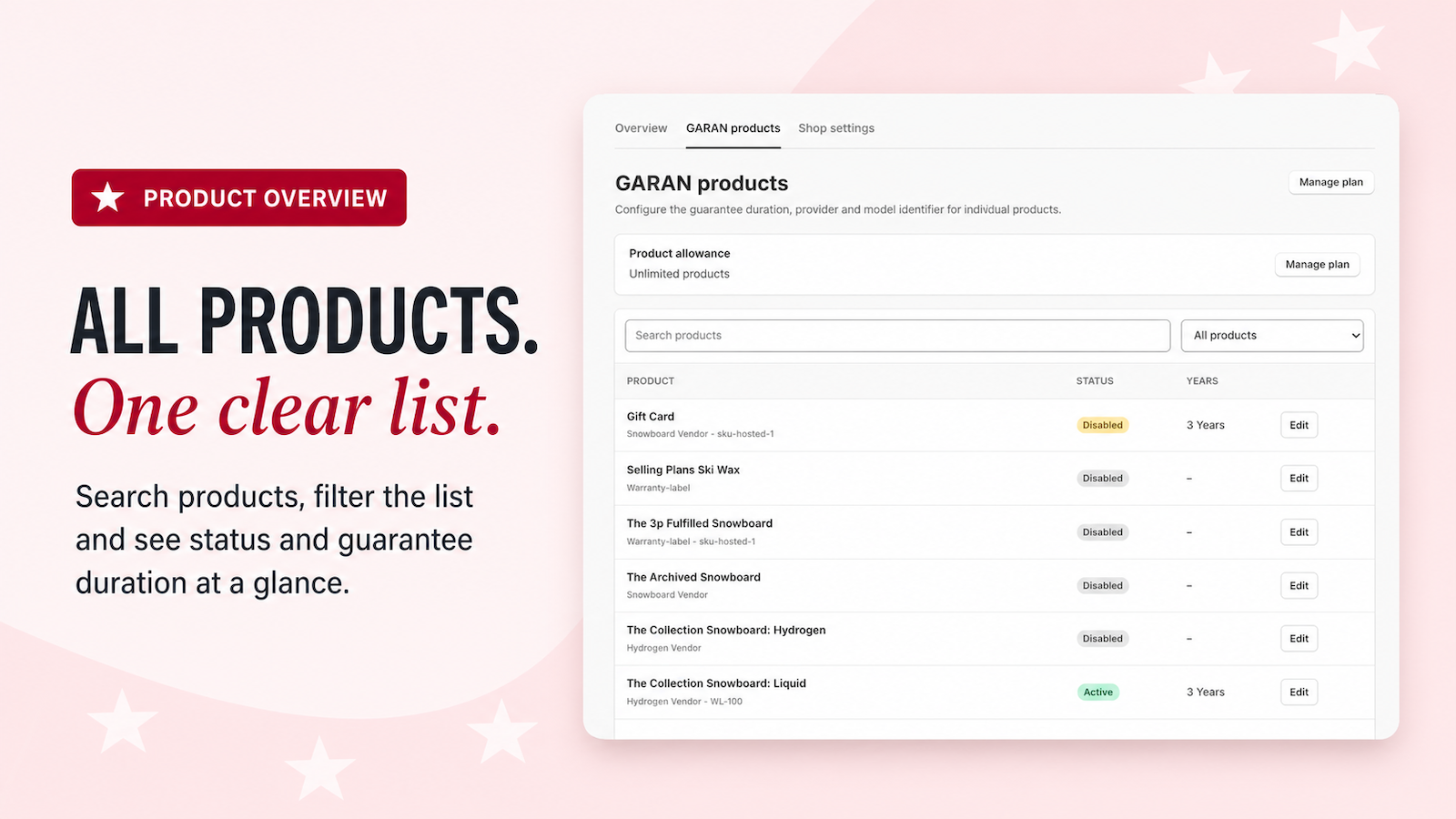
Search, filters and clear status information show which products are already set up.
Digital products and gift cards are excluded automatically. You can turn off the legal notice for an individual product when needed.
Add the notices conveniently through Shopify without changing your existing store files.
Setup
Install the app, choose your defaults, add guarantee details and display the notices in your store.
Install Warranty Label from the Shopify App Store and open it in your Shopify admin.
Set a usual guarantee duration, the provider and your preferred GARAN view.
Enter the duration, provider and model identifier for products with a voluntary durability guarantee.
Add the notices you want in Shopify and check their appearance directly in your store.
Frequently asked questions
Key answers about setup and display in your Shopify store. Warranty Label does not replace legal advice.
The app displays the official EU notice about legal guarantee rights and optionally the GARAN label for a free durability guarantee longer than two years. Both notices can be displayed independently.
No. You add the notices through Shopify wherever you want them. Your existing store files and design remain unchanged.
The notice is intended for active physical products in your store. Digital products and gift cards are excluded. If a product is not recognised correctly, you can turn off the notice for that product.
The GARAN label appears for a free durability guarantee longer than two years. The duration, provider and model identifier must be complete.
Yes. You can choose the colours of the symbol, text, background and border. The legal notice can be shown in full or as an expandable row. The GARAN label is available in compact or full form.
A general notice about legal guarantee rights can appear in the cart when it contains at least one physical product. The GARAN label remains with the relevant product.
Shopify App
Install Warranty Label directly from the official Shopify App Store.